
You know the story. A guest books… you send your banking details… then you wait. They promise they’ll EFT later, you check your bank app five times, and you still end up chasing a proof of payment.
Card payment links fix that. They make paying quick for guests and easier for you to manage, especially for deposits and balances. If you are just starting to look at your setup, our introduction to guest payments is a great place to see how these tools fit into the bigger picture.
 What is a card payment link?
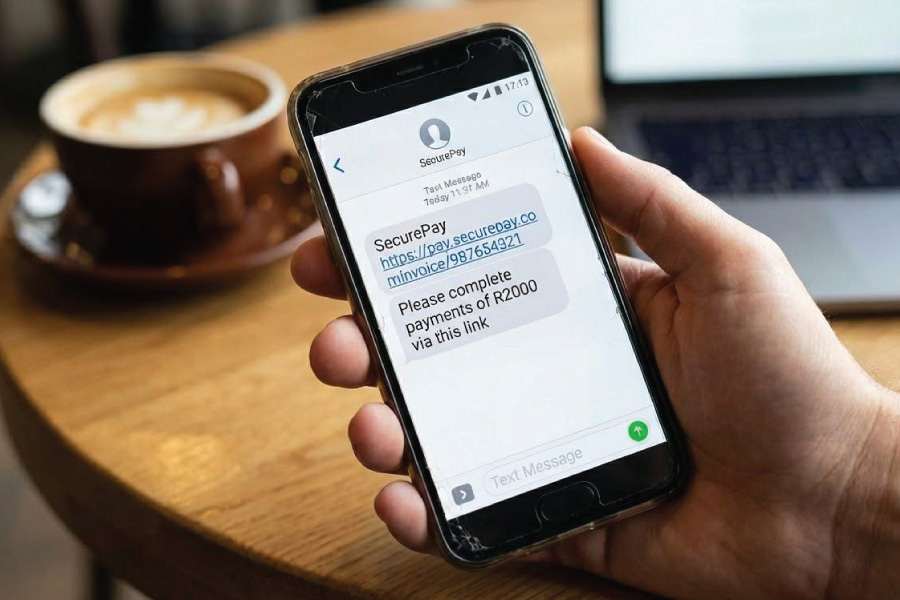 What is a card payment link?
A card payment link is a secure URL you send to a guest. They click it, pay by card on their phone or laptop, and you get a clear payment record without manual capturing. No “please send proof” messages and no awkward follow-ups. Just a clean payment flow that keeps your guest house accounting tidy from the start.
Why payment links work so well for guesthouses.
Guesthouses and small properties live and die by time and cash flow. Payment links help on both fronts.
You win because:
- You get faster deposits, which means fewer “maybe” bookings.
- You spend less time checking bank statements and matching references.
- You reduce the risk of staff handling card details manually.
- You look more professional, especially to international guests.
Guests win because:
- Paying by card feels familiar and quick.
- They don’t need to log into online banking or find a branch.
- They get peace of mind from instant confirmation.
If you’re trying to move away from “EFT and hope”, this is one of the simplest upgrades you can make. It also helps you manage payments from online travel agents (OTAs) more effectively by giving you a consistent way to handle direct guest payments alongside channel bookings.
When should you send a card payment link?
Timing matters. The goal is to make paying easy without making guests feel pressured. Here are the moments where payment links shine:
1) Deposit at the time of booking.
Send a payment link immediately after a booking comes in. Guests are most motivated right then. If you wait a day, attention shifts and your chances of getting paid drop.
2) Balance before arrival.
If your policy requires payment before check-in, send the balance link to line up with your cancellation terms. That way you’re not sitting with a “strict policy” but no money in your account. To get this right, make sure you have a solid payment policy for accommodation owners in place so guests know exactly what to expect.
3) Extras and add-ons.
Late check-out. Extra guest. Airport transfer. A dinner add-on. These small charges often get forgotten until check-out, then you’re stuck doing maths at reception. A quick link keeps it simple.

“Is it safe?” What owners and guests worry about.
Two concerns come up all the time: card security and failed payments:
Card security (PCI DSS and doing it properly)
If you’re still taking card numbers over WhatsApp, email, or a handwritten note, you’re carrying risk you don’t need. Payment links reduce that risk because the guest enters their card details securely.
Failed payments (3D Secure payments)
Sometimes a bank asks a guest to approve the payment via an app or SMS code. That’s called 3D Secure payments. It protects you and the guest, but if they miss the approval step, the payment can fail. Knowing how to explain this to a guest can save a booking.
What to say when you send the link (copy-and-paste templates).
You don’t need fancy wording. Keep it friendly, clear, and direct.
Deposit message (WhatsApp or email)
“Dear [Guest name], thanks for your booking at [Property name]. To confirm your reservation, please pay the deposit using this secure card payment link: [link]. Keep your phone nearby in case your bank asks you to approve the payment.”
Balance reminder
“Dear [Guest name], your stay is coming up on [arrival date]. Here’s your secure payment link to settle the balance: [link]. We are excited to welcome you then.”
Where NightsBridge Pay fits in:
NightsBridge Pay is built to reduce payment admin. With an integrated setup, you don’t have to switch between systems to chase money. This is especially helpful when handling virtual card payments from OTAs, as you can manage everything in one place.
You want a single view of the booking, what’s been paid, and what needs a follow-up. That’s the difference between “I think they paid” and “I know they paid”.
Final thought.
Payment links aren’t just a convenience. They’re a simple way to protect your time, improve cash flow, and give guests a smoother experience from the moment they book.